Agora Chrome Plugin
Build a Chrome plugin example powered by Agora Conversational AI.

Implementation guide
In this guide
Pause with Agora
A Chrome extension for short, voice-guided workday resets powered by Agora Conversational AI.
Instead of opening another tab, another app, or another long meditation library, Pause with Agora lives in the toolbar and gets you into a guided reset in a few clicks.
Pick:
2 / 5 / 10 minprivate / shared / publiccalm / refocus / breathe / reset
Then start a session and let Agora handle the real-time voice experience.
Demo
Watch the product demo here:
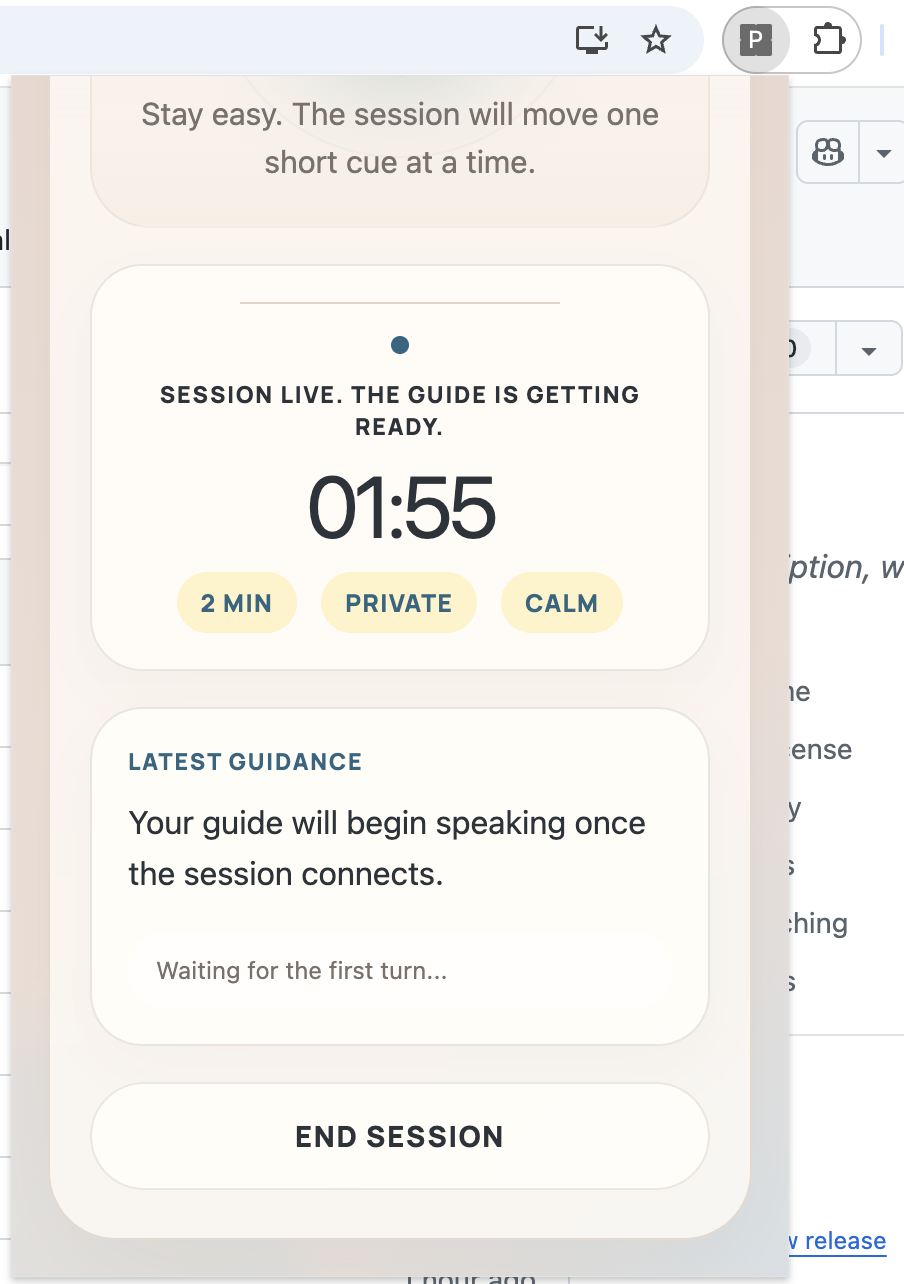
Screenshots
| Setup | Preparing |
|---|---|
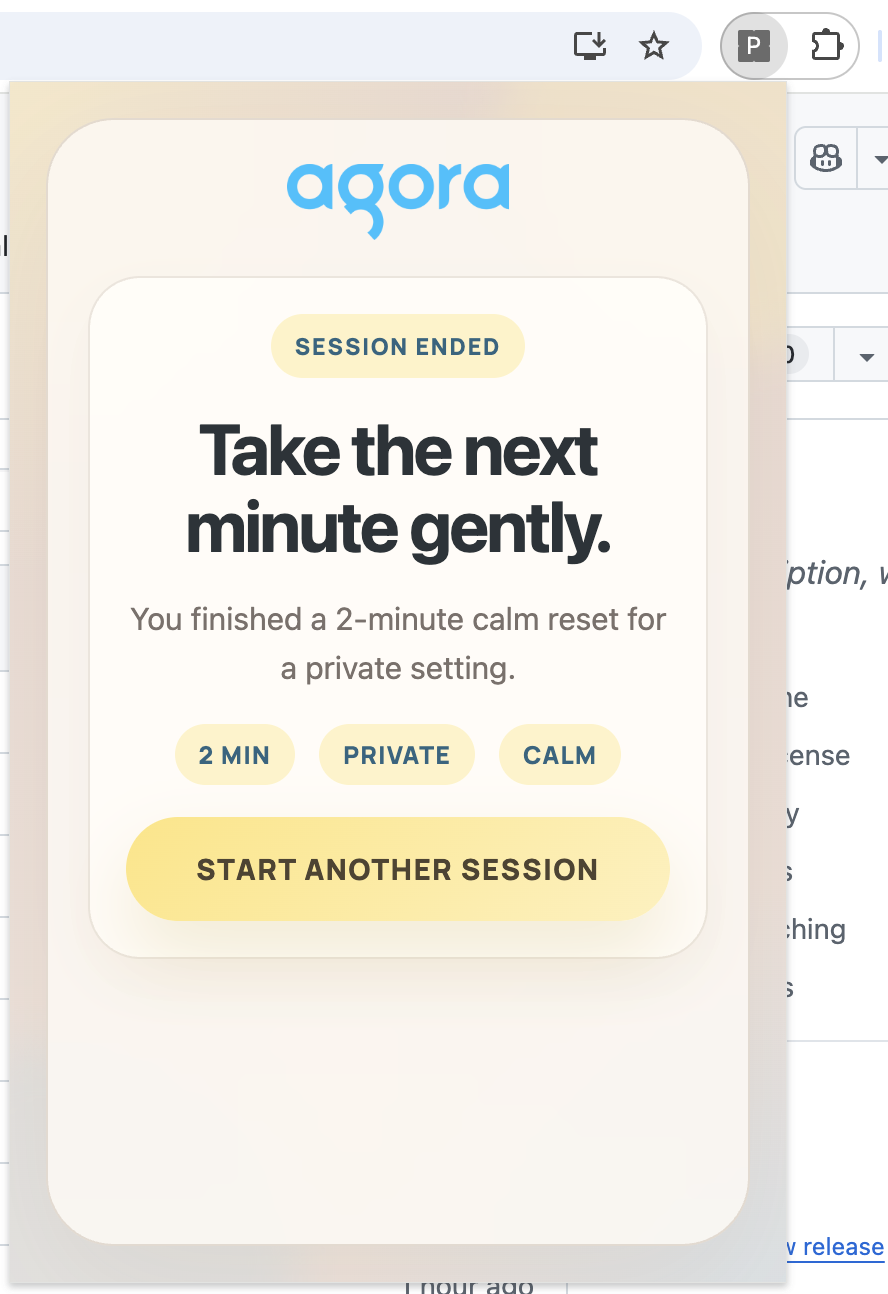 | 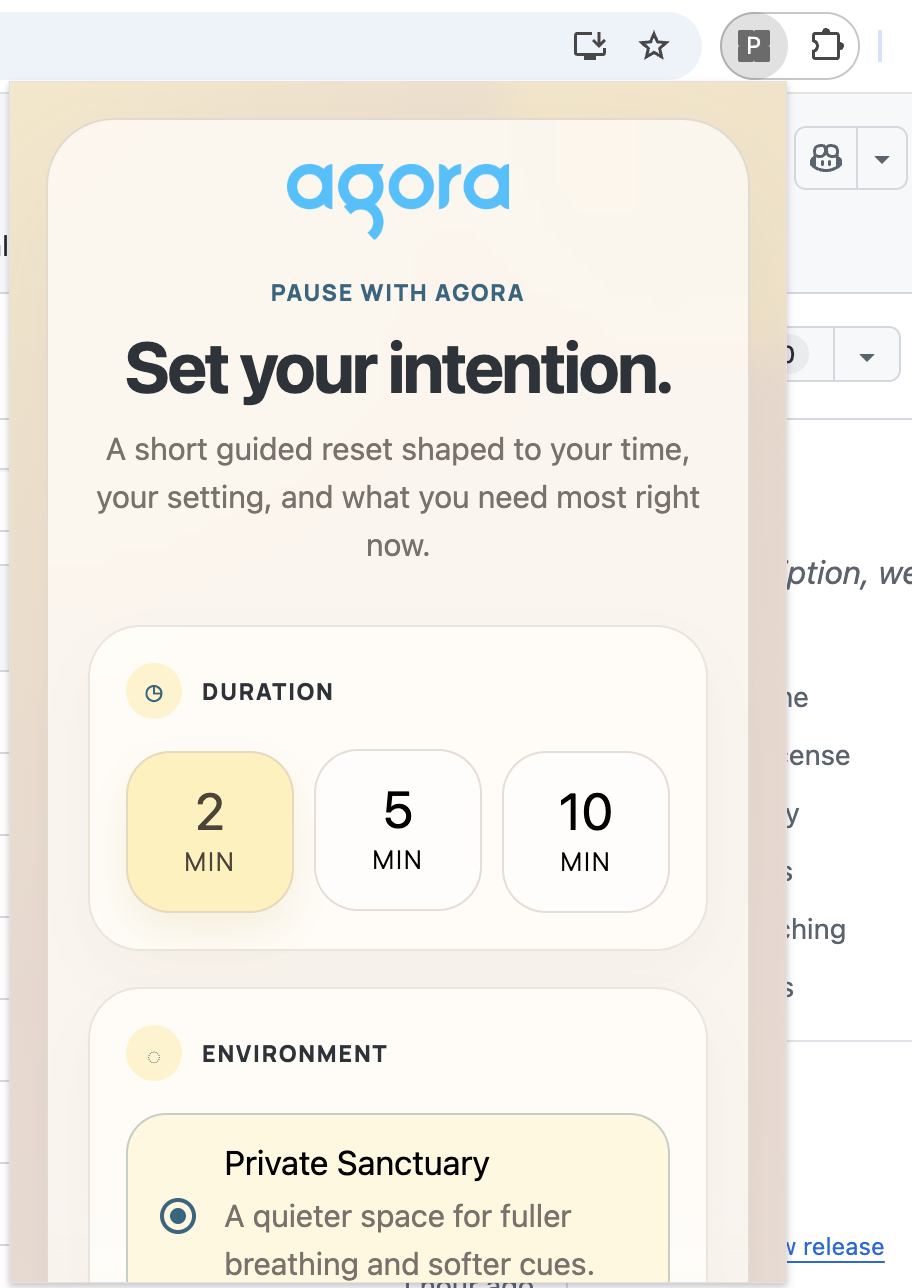 |
| Active Session | Transcript |
|---|---|
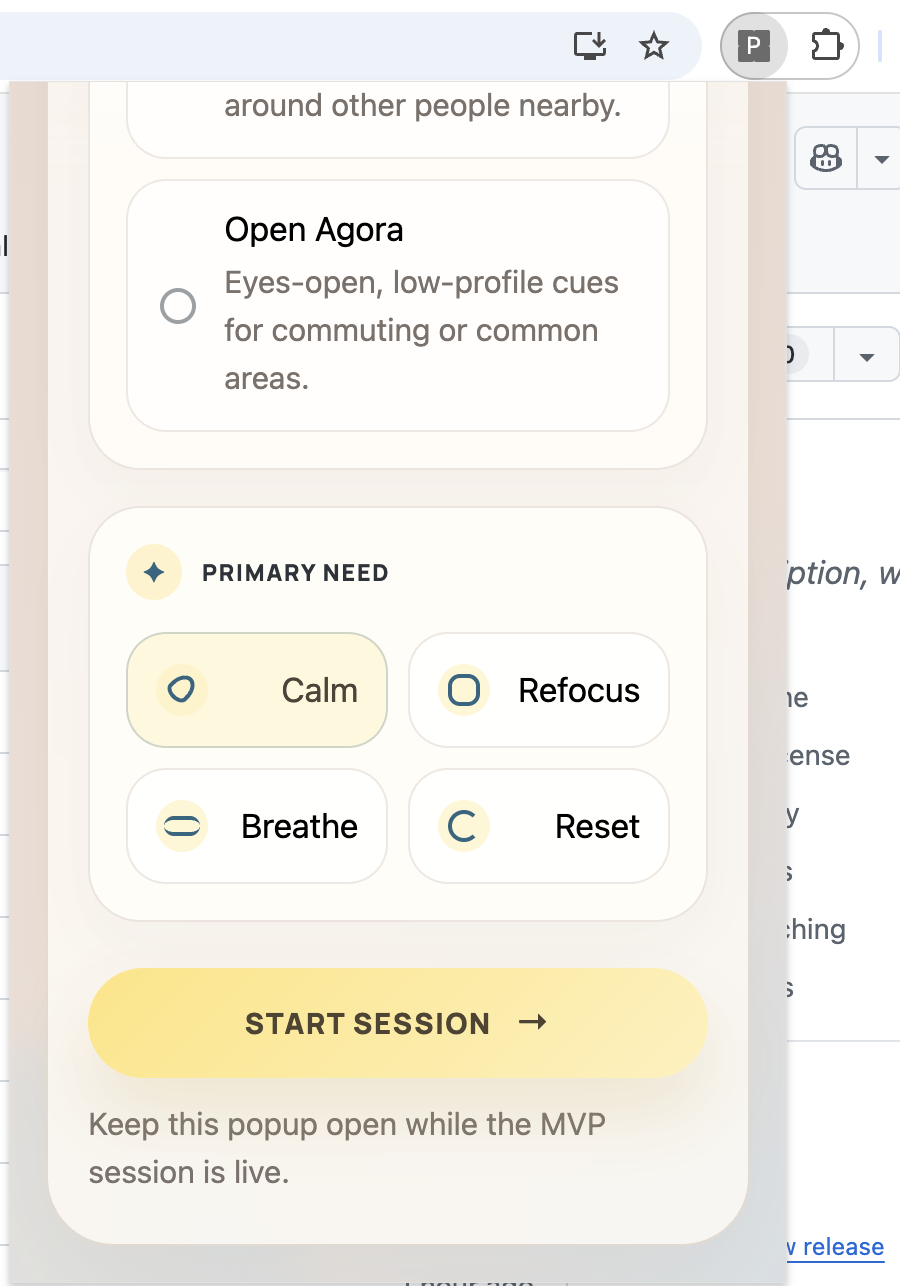 | 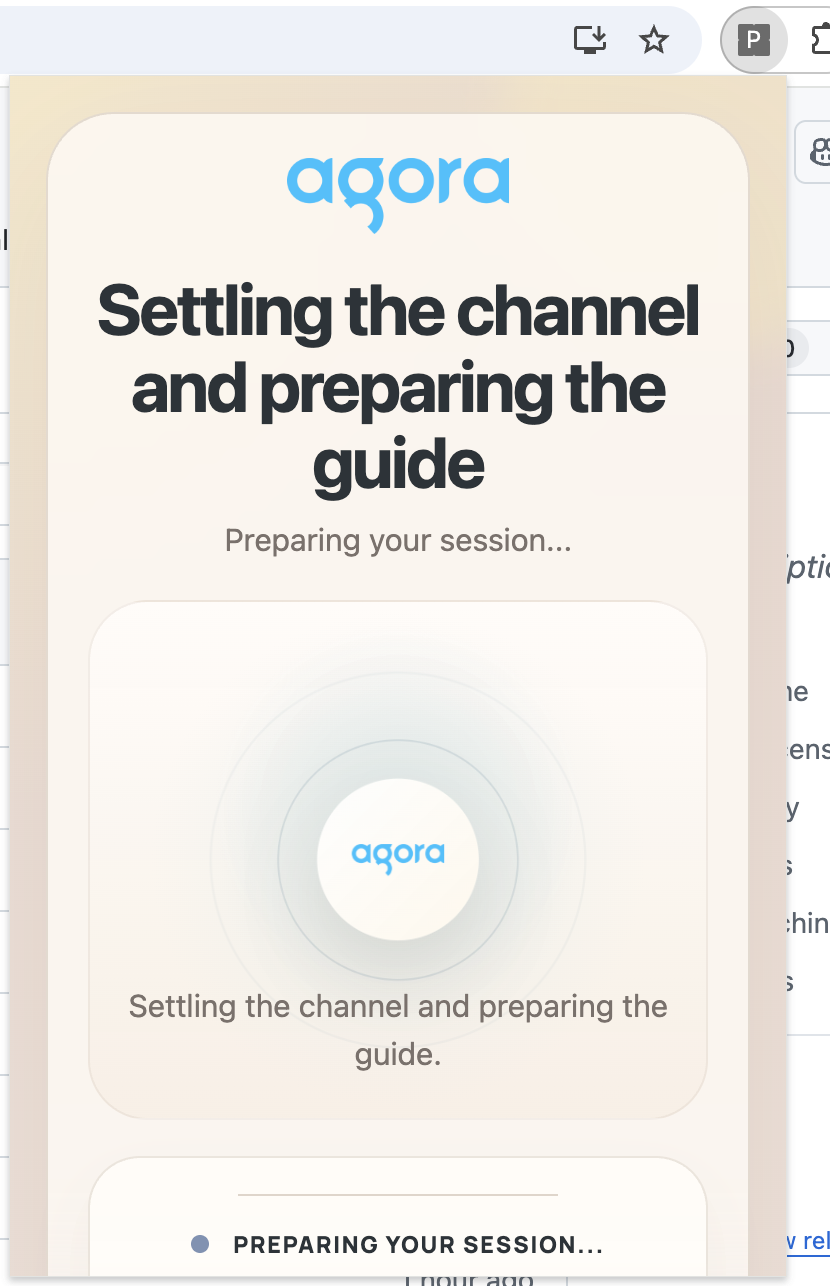 |
| Completion |
|---|
 |
Why This Exists
Most “wellness” products are built like destinations. This one is built like an interruption-friendly ritual.
The goal is simple:
- help someone reset during a workday
- start fast
- keep the tone grounded
- work inside the browser
- feel calm without feeling overly spiritual
What It Does
Pause with Agora is a Manifest V3 Chrome extension with a deployable REST API.
The extension:
- collects the user’s intention in a compact popup
- starts a short guided voice session
- shows live session state
- displays the latest guidance/transcript
- allows ending the session at any time
The API service:
- issues Agora RTC + RTM tokens
- starts and stops the Conversational AI agent
- keeps your Agora App Certificate out of the extension bundle
Product Feel
The current UI is designed around:
- warm, meditative surfaces
- softer wellness-app pacing
- an Agora-branded visual center
- short-session focus rather than “full meditation platform” complexity
Built On Agora
This MVP does not invent a brand new Agora integration.
It deliberately reuses the integration patterns from the local reference project at:
https://github.com/AgoraIO-Conversational-AI/agent-quickstart-nextjs
Reused From The Reference Project
- Agora token generation flow with
RtcTokenBuilder.buildTokenWithRtm - server-side agent lifecycle with
AgoraClient+Agent - RTC + RTM split for browser-side audio and transcript/state events
AgoraVoiceAIinitialization and subscription flow- transcript normalization and timestamp normalization
- token renewal pattern for RTC + RTM
- idempotent stop-agent handling
- session lifecycle shape:
- generate token
- invite agent
- log into RTM
- join RTC
- publish mic
- subscribe to transcript + agent events
Adapted For Chrome Extension Constraints
- The reference Next.js route pattern was turned into a standalone deployable
api-service/ - The popup hosts the live RTC/RTM client for this MVP
- The extension keeps the UI intentionally compact and session-first
- The agent prompt was rewritten for short workday reset behavior instead of general conversation
- The extension is configured to call a remote REST API instead of depending on a local dev server
Repo Map
Pause with Agora/
├── api-service/
│   ├── app/api/
│   ├── lib/
│   ├── types/
│   └── README.md
├── public/
│   ├── agora-logo.png
│   └── manifest.json
├── src/
│   ├── lib/
│   │   ├── api.ts
│   │   ├── conversation.ts
│   │   ├── session-manager.ts
│   │   └── types.ts
│   ├── popup/
│   │   ├── App.tsx
│   │   └── styles.css
│   └── main.tsx
├── .env.example
├── LICENSE
├── index.html
├── package.json
├── pnpm-lock.yaml
├── tsconfig.json
└── vite.config.ts
Architecture
Loading diagram…
Diagram source
flowchart LR
  U["User"] --> E["Chrome Extension Popup"]
  E --> B["Deployed REST API<br/>Next.js Route Handlers"]
  B --> A["Agora Conversational AI"]
  E --> R["Agora RTC + RTM"]
  A --> R
  R --> E
The popup owns the session UX, the deployed API owns secure token and agent orchestration, and Agora handles the live real-time voice path.
Quick Start
1. Install dependencies
pnpm install2. Deploy the API service
Deploy the standalone service in api-service/ to your preferred host.
It reuses the route structure from the Agora quickstart and exposes the same session endpoints your extension needs:
GET /api/healthGET /api/generate-agora-tokenPOST /api/invite-agentPOST /api/stop-conversation
Example API env:
NEXT_PUBLIC_AGORA_APP_ID=your_agora_app_id
NEXT_AGORA_APP_CERTIFICATE=your_agora_app_certificate
NEXT_PUBLIC_AGENT_UID=123456
AGORA_AREA=US
ALLOWED_EXTENSION_ORIGINS=chrome-extension://your_extension_id
3. Add extension environment variables
Copy .env.example to .env and point the extension at your deployed API origin.
VITE_API_BASE_URL=https://your-deployed-api.example.com
VITE_AGORA_APP_ID=your_agora_app_id
VITE_AGENT_UID=123456
Important:
VITE_AGORA_APP_IDshould match the same Agora App ID used by the API serviceVITE_means the value is exposed to the frontend buildNEXT_AGORA_APP_CERTIFICATEstays server-side and must never go into the extension bundleALLOWED_EXTENSION_ORIGINSshould be set on the API service so only your published extension origin can call the protected endpoints
4. Build the extension
pnpm run build5. Load it into Chrome
- Open
chrome://extensions - Turn on
Developer mode - Click
Load unpacked - Select the
distfolder
How A Session Works
- The user opens the toolbar popup.
- They pick duration, environment, and need.
- The popup requests microphone permission.
- The API returns an Agora RTC + RTM token.
- The API starts an Agora conversational agent tuned to the user’s selected intent.
- The popup joins the channel, publishes mic audio, and subscribes to agent events.
- The UI shows active session state, countdown, and transcript updates.
- The user can interrupt the guide or end the session whenever they want.
Loading diagram…
Diagram source
sequenceDiagram
  participant User
  participant Popup as Chrome Popup
  participant Backend as REST API
  participant Agora as Agora AI + RTC/RTM

  User->>Popup: Select time, environment, need
  User->>Popup: Click "Start Session"
  Popup->>Popup: Request microphone permission
  Popup->>Backend: Request RTC + RTM token
  Backend->>Agora: Generate token context
  Backend-->>Popup: Return token + channel
  Popup->>Backend: Invite agent
  Backend->>Agora: Start conversational agent
  Backend-->>Popup: Return agent_id
  Popup->>Agora: Join RTC + login RTM
  Agora-->>Popup: Transcript + agent state events
  User->>Agora: Speak / interrupt
  Popup->>Backend: Stop session on end
Current UX Notes
- The countdown starts when the session is actually live, not while it is still preparing
- User interruption during agent speech is supported
- The popup uses a meditation-style branded animation while the session prepares
- The UI uses the Agora logo from
public/as part of the live visual system
UI State Flow
Loading diagram…
Diagram source
stateDiagram-v2
  [*] --> Setup
  Setup --> Preparing: Start Session
  Preparing --> Active: Agora connected
  Preparing --> Setup: Startup error
  Active --> Active: Transcript / interruptions
  Active --> Completion: Timer ends
  Active --> Completion: User ends session
  Completion --> Setup: Start another session
Error Handling
This MVP includes explicit handling for:
- missing frontend config
- missing API-side Agora credentials
- microphone permission failures
- REST API connectivity failures
- token renewal issues
- agent/session stop cleanup
- RTM/agent signaling-level errors surfaced into popup state
Security Notes
- No secrets should ever be committed to the repo;
.envis intentionally ignored - The deployed API now validates session input, applies basic rate limiting, and can restrict access by allowed origins
- For production, set
ALLOWED_EXTENSION_ORIGINS=chrome-extension://<your_published_extension_id> - If you temporarily use
chrome-extension://*during private testing, replace it with the real extension ID before wider release
Development Commands
pnpm run build
pnpm run typecheck
pnpm run api:dev
pnpm run api:build
pnpm run api:typecheck
Assumptions
- You have an Agora project with Conversational AI enabled
- Agora-managed STT, LLM, and TTS defaults are acceptable for this MVP
- You are comfortable deploying a small Next.js API service for token and agent orchestration
- English guidance is enough for the current version
Known Limitations
- The popup must stay open during the live session
- This version does not yet move RTC/RTM into an offscreen document or background-driven architecture
- The transcript view is intentionally lightweight, not a full session journal
- The bundled client is still large because Agora browser SDK packages are heavy
What A Better v2 Looks Like
- session continuity after popup close
- analytics and usage instrumentation
- better device/output controls
- improved interruption tuning
- team/workflow integrations
- Chrome Web Store polish
If You’re Evaluating The Repo
The fastest way to understand the project is:
- read
api-service/app/api/invite-agent/route.ts - read
src/lib/session-manager.ts - open the extension popup and run one session
That gives you the whole story:
- how the agent starts
- how the browser joins
- how the session state flows
- how the product is meant to feel
# Pause with Agora
A Chrome extension for short, voice-guided workday resets powered by **Agora Conversational AI**.
Instead of opening another tab, another app, or another long meditation library, `Pause with Agora` lives in the toolbar and gets you into a guided reset in a few clicks.
Pick:
- `2 / 5 / 10 min`
- `private / shared / public`
- `calm / refocus / breathe / reset`
Then start a session and let Agora handle the real-time voice experience.
## Demo
Watch the product demo here:
[Pause with Agora Demo](https://www.youtube.com/watch?v=qqMoWnyJBZc)
## Screenshots
| Setup | Preparing |
| --- | --- |
|  |  |
| Active Session | Transcript |
| --- | --- |
|  |  |
| Completion |
| --- |
|  |
## Why This Exists
Most “wellness” products are built like destinations. This one is built like an interruption-friendly ritual.
The goal is simple:
- help someone reset during a workday
- start fast
- keep the tone grounded
- work inside the browser
- feel calm without feeling overly spiritual
## What It Does
`Pause with Agora` is a Manifest V3 Chrome extension with a deployable REST API.
The extension:
- collects the user’s intention in a compact popup
- starts a short guided voice session
- shows live session state
- displays the latest guidance/transcript
- allows ending the session at any time
The API service:
- issues Agora RTC + RTM tokens
- starts and stops the Conversational AI agent
- keeps your Agora App Certificate out of the extension bundle
## Product Feel
The current UI is designed around:
- warm, meditative surfaces
- softer wellness-app pacing
- an Agora-branded visual center
- short-session focus rather than “full meditation platform” complexity
## Built On Agora
This MVP does **not** invent a brand new Agora integration.
It deliberately reuses the integration patterns from the local reference project at:
`https://github.com/AgoraIO-Conversational-AI/agent-quickstart-nextjs`
### Reused From The Reference Project
- Agora token generation flow with `RtcTokenBuilder.buildTokenWithRtm`
- server-side agent lifecycle with `AgoraClient` + `Agent`
- RTC + RTM split for browser-side audio and transcript/state events
- `AgoraVoiceAI` initialization and subscription flow
- transcript normalization and timestamp normalization
- token renewal pattern for RTC + RTM
- idempotent stop-agent handling
- session lifecycle shape:
- generate token
- invite agent
- log into RTM
- join RTC
- publish mic
- subscribe to transcript + agent events
### Adapted For Chrome Extension Constraints
- The reference Next.js route pattern was turned into a standalone deployable `api-service/`
- The popup hosts the live RTC/RTM client for this MVP
- The extension keeps the UI intentionally compact and session-first
- The agent prompt was rewritten for short workday reset behavior instead of general conversation
- The extension is configured to call a remote REST API instead of depending on a local dev server
## Repo Map
```text
Pause with Agora/
├── api-service/
│ ├── app/api/
│ ├── lib/
│ ├── types/
│ └── README.md
├── public/
│ ├── agora-logo.png
│ └── manifest.json
├── src/
│ ├── lib/
│ │ ├── api.ts
│ │ ├── conversation.ts
│ │ ├── session-manager.ts
│ │ └── types.ts
│ ├── popup/
│ │ ├── App.tsx
│ │ └── styles.css
│ └── main.tsx
├── .env.example
├── LICENSE
├── index.html
├── package.json
├── pnpm-lock.yaml
├── tsconfig.json
└── vite.config.ts
```
## Architecture
```mermaid
flowchart LR
U["User"] --> E["Chrome Extension Popup"]
E --> B["Deployed REST API<br/>Next.js Route Handlers"]
B --> A["Agora Conversational AI"]
E --> R["Agora RTC + RTM"]
A --> R
R --> E
```
The popup owns the session UX, the deployed API owns secure token and agent orchestration, and Agora handles the live real-time voice path.
## Quick Start
### 1. Install dependencies
```bash
pnpm install
```
### 2. Deploy the API service
Deploy the standalone service in [`api-service/`](https://github.com/Users/akshaynandwana/Desktop/Agora%20Meditation%20Plugin/api-service/README.md) to your preferred host.
It reuses the route structure from the Agora quickstart and exposes the same session endpoints your extension needs:
- `GET /api/health`
- `GET /api/generate-agora-token`
- `POST /api/invite-agent`
- `POST /api/stop-conversation`
Example API env:
```env
NEXT_PUBLIC_AGORA_APP_ID=your_agora_app_id
NEXT_AGORA_APP_CERTIFICATE=your_agora_app_certificate
NEXT_PUBLIC_AGENT_UID=123456
AGORA_AREA=US
ALLOWED_EXTENSION_ORIGINS=chrome-extension://your_extension_id
```
### 3. Add extension environment variables
Copy `.env.example` to `.env` and point the extension at your deployed API origin.
```env
VITE_API_BASE_URL=https://your-deployed-api.example.com
VITE_AGORA_APP_ID=your_agora_app_id
VITE_AGENT_UID=123456
```
Important:
- `VITE_AGORA_APP_ID` should match the same Agora App ID used by the API service
- `VITE_` means the value is exposed to the frontend build
- `NEXT_AGORA_APP_CERTIFICATE` stays server-side and must never go into the extension bundle
- `ALLOWED_EXTENSION_ORIGINS` should be set on the API service so only your published extension origin can call the protected endpoints
### 4. Build the extension
```bash
pnpm run build
```
### 5. Load it into Chrome
1. Open `chrome://extensions`
2. Turn on `Developer mode`
3. Click `Load unpacked`
4. Select the `dist` folder
## How A Session Works
1. The user opens the toolbar popup.
2. They pick duration, environment, and need.
3. The popup requests microphone permission.
4. The API returns an Agora RTC + RTM token.
5. The API starts an Agora conversational agent tuned to the user’s selected intent.
6. The popup joins the channel, publishes mic audio, and subscribes to agent events.
7. The UI shows active session state, countdown, and transcript updates.
8. The user can interrupt the guide or end the session whenever they want.
```mermaid
sequenceDiagram
participant User
participant Popup as Chrome Popup
participant Backend as REST API
participant Agora as Agora AI + RTC/RTM
User->>Popup: Select time, environment, need
User->>Popup: Click "Start Session"
Popup->>Popup: Request microphone permission
Popup->>Backend: Request RTC + RTM token
Backend->>Agora: Generate token context
Backend-->>Popup: Return token + channel
Popup->>Backend: Invite agent
Backend->>Agora: Start conversational agent
Backend-->>Popup: Return agent_id
Popup->>Agora: Join RTC + login RTM
Agora-->>Popup: Transcript + agent state events
User->>Agora: Speak / interrupt
Popup->>Backend: Stop session on end
```
## Current UX Notes
- The countdown starts when the session is actually live, not while it is still preparing
- User interruption during agent speech is supported
- The popup uses a meditation-style branded animation while the session prepares
- The UI uses the Agora logo from `public/` as part of the live visual system
## UI State Flow
```mermaid
stateDiagram-v2
[*] --> Setup
Setup --> Preparing: Start Session
Preparing --> Active: Agora connected
Preparing --> Setup: Startup error
Active --> Active: Transcript / interruptions
Active --> Completion: Timer ends
Active --> Completion: User ends session
Completion --> Setup: Start another session
```
## Error Handling
This MVP includes explicit handling for:
- missing frontend config
- missing API-side Agora credentials
- microphone permission failures
- REST API connectivity failures
- token renewal issues
- agent/session stop cleanup
- RTM/agent signaling-level errors surfaced into popup state
## Security Notes
- No secrets should ever be committed to the repo; `.env` is intentionally ignored
- The deployed API now validates session input, applies basic rate limiting, and can restrict access by allowed origins
- For production, set `ALLOWED_EXTENSION_ORIGINS=chrome-extension://<your_published_extension_id>`
- If you temporarily use `chrome-extension://*` during private testing, replace it with the real extension ID before wider release
## Development Commands
```bash
pnpm run build
pnpm run typecheck
pnpm run api:dev
pnpm run api:build
pnpm run api:typecheck
```
## Assumptions
- You have an Agora project with Conversational AI enabled
- Agora-managed STT, LLM, and TTS defaults are acceptable for this MVP
- You are comfortable deploying a small Next.js API service for token and agent orchestration
- English guidance is enough for the current version
## Known Limitations
- The popup must stay open during the live session
- This version does not yet move RTC/RTM into an offscreen document or background-driven architecture
- The transcript view is intentionally lightweight, not a full session journal
- The bundled client is still large because Agora browser SDK packages are heavy
## What A Better v2 Looks Like
- session continuity after popup close
- analytics and usage instrumentation
- better device/output controls
- improved interruption tuning
- team/workflow integrations
- Chrome Web Store polish
## If You’re Evaluating The Repo
The fastest way to understand the project is:
1. read `api-service/app/api/invite-agent/route.ts`
2. read `src/lib/session-manager.ts`
3. open the extension popup and run one session
That gives you the whole story:
- how the agent starts
- how the browser joins
- how the session state flows
- how the product is meant to feel