Agora Rotary Dial Phone
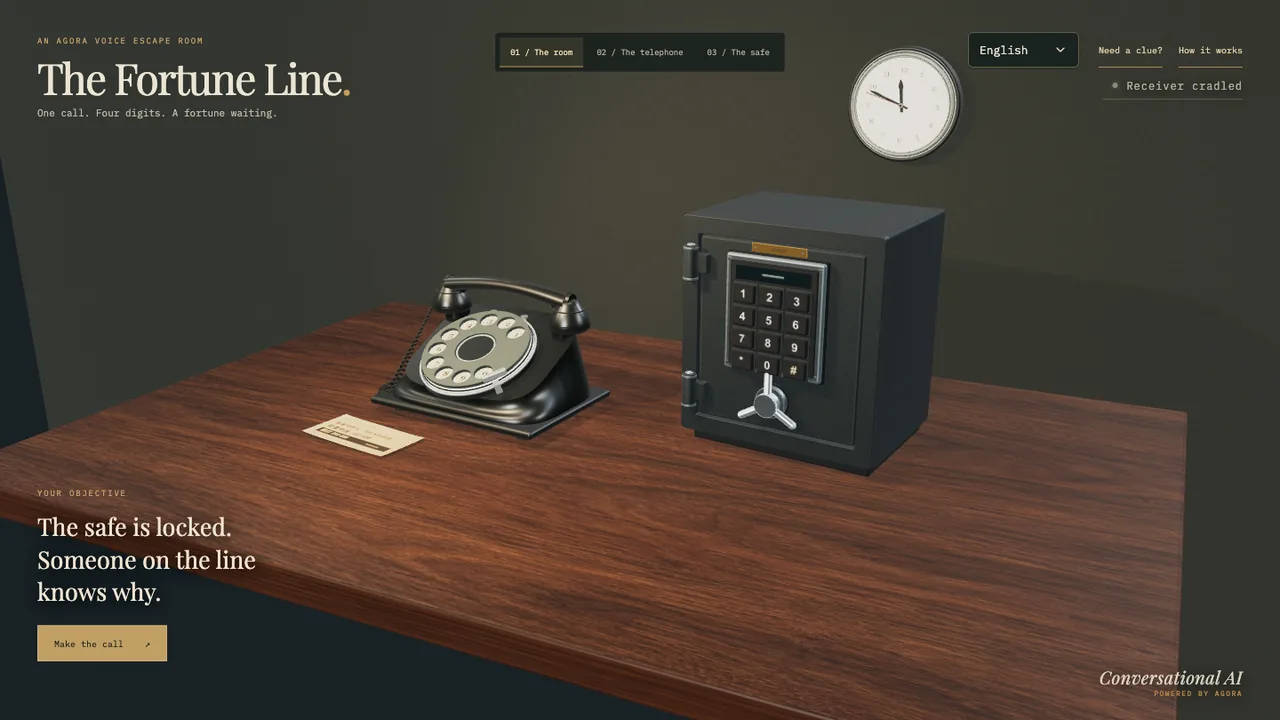
Call a real-time AI character from an interactive 3D rotary telephone.

English interface · Microphone needed
Implementation guide
In this guide
Agora Rotary Dial Phone
An interactive rotary telephone built with Three.js and powered by Agora Conversational AI.



English · 简体中文
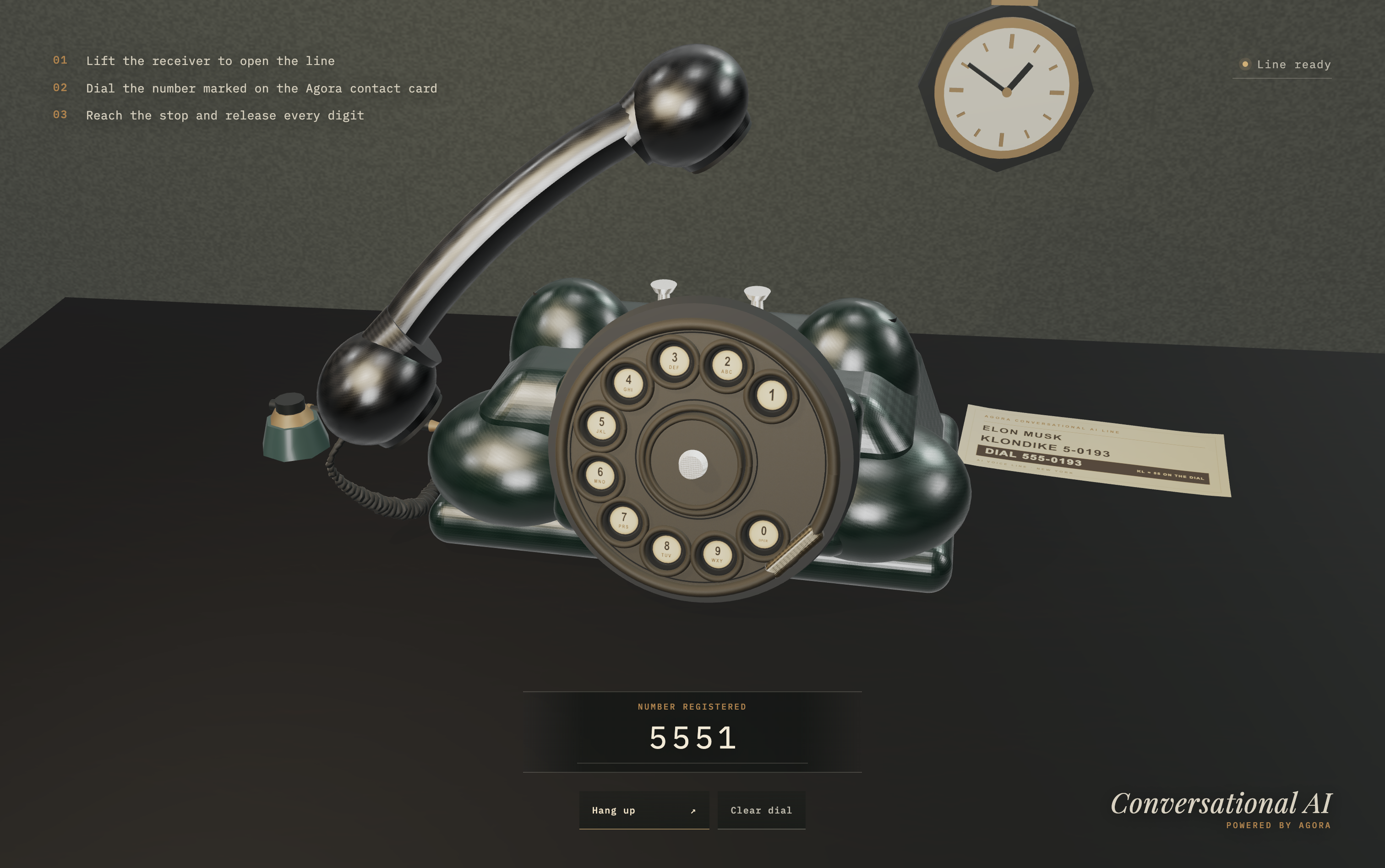
Lift the receiver, dial 555-0193, and start a real-time Elon-inspired AI
conversation. Every digit must reach the metal stop before the dial returns and
registers it—just like a physical rotary phone.
Highlights
- Procedural 3D scene — an Art Deco telephone, desk set, materials, and contact card rendered in Three.js.
- Physical rotary dialing — finger-hole interaction, metal-stop detection, return travel, pulse registration, and mechanical audio.
- Real-time voice — microphone and remote-agent audio over Agora RTC, with optional RTM-powered status updates.
- Resilient call lifecycle — signed call tickets, token renewal, authorized shutdown, timeout handling, and a shared cleanup path.
- Responsive interaction — desktop and mobile controls with explicit loading, permission, connection, and error states.
How it works
- Lift the receiver to open the line.
- Drag each digit on the rotary dial to the metal stop and release it.
- After
555-0193is complete, the server creates a dedicated Agora channel and returns channel-bound credentials. - The Conversational AI agent joins the call and the five-minute timer starts.
- Hanging up, leaving the page, timing out, or encountering an error releases the agent, RTC/RTM clients, microphone, receiver, and dial state.
Quick start
Prerequisites
- Node.js 22 or newer
- pnpm 11.6.0
- An Agora project with an App ID and App Certificate
- A Fish Audio API key
- A browser with WebGL, Web Audio, and microphone support
Run locally
git clone https://github.com/zicojiao/agora-rotary-dial-phone.git
cd agora-rotary-dial-phone
corepack enable
pnpm install
cp .env.example .env.local
pnpm dev
Configure .env.local, open http://localhost:3000,
lift the receiver, and dial 555-0193.
Microphone access requires HTTPS in production. Browsers allow it on
localhostduring development.
Environment variables
| Variable | Scope | Required | Purpose |
|---|---|---|---|
NEXT_PUBLIC_AGORA_APP_ID | Browser and server | Yes | Agora project App ID; public by design |
NEXT_AGORA_APP_CERTIFICATE | Server only | Yes | Signs Agora RTC and RTM tokens |
NEXT_PUBLIC_AGENT_UID | Browser and server | No | Agent RTC UID; defaults to 123456 |
FISH_AUDIO_API_KEY | Server only | Yes | Authorizes Fish Audio TTS requests |
CALL_TICKET_SECRET | Server only | Yes | Signs call and agent-stop tickets |
Generate a call-ticket secret with:
openssl rand -hex 32Voice selection and the Fish Audio backend are configured in
lib/fishAudio.ts.
Project structure
| Path | Purpose |
|---|---|
app/ | Next.js page shell and server-only call API routes |
components/ | React call orchestration, RTC runtime, and status UI |
src/ | Three.js scene, procedural phone, dial physics, audio, and browser events |
lib/ | Agora configuration, Fish Audio setup, and signed call tickets |
spec/ | Physics, lifecycle, security, microphone, and API contract checks |
Verification
pnpm lint
pnpm typecheck
pnpm test
pnpm build
pnpm audit --prod
Tests use mocked call creation and do not start live Agora or Fish Audio sessions.
Deployment
Deploy the project to Vercel or any platform that supports Next.js, then add the required environment variables.
For self-hosting, run pnpm build followed by pnpm start.
License
Released under the MIT License.
# Agora Rotary Dial Phone
An interactive rotary telephone built with Three.js and powered by Agora
Conversational AI.
[](LICENSE)
[](https://threejs.org/)
[](https://www.agora.io/en/products/conversational-ai-engine/)
**English** · [简体中文](https://github.com/zicojiao/agora-rotary-dial-phone/blob/main/README.zh-CN.md)
**[Try the live demo →](https://agora-rotary-dial-phone-private.vercel.app)**
[](https://agora-rotary-dial-phone-private.vercel.app)
Lift the receiver, dial `555-0193`, and start a real-time Elon-inspired AI
conversation. Every digit must reach the metal stop before the dial returns and
registers it—just like a physical rotary phone.
## Highlights
- **Procedural 3D scene** — an Art Deco telephone, desk set, materials, and
contact card rendered in Three.js.
- **Physical rotary dialing** — finger-hole interaction, metal-stop detection,
return travel, pulse registration, and mechanical audio.
- **Real-time voice** — microphone and remote-agent audio over Agora RTC, with
optional RTM-powered status updates.
- **Resilient call lifecycle** — signed call tickets, token renewal, authorized
shutdown, timeout handling, and a shared cleanup path.
- **Responsive interaction** — desktop and mobile controls with explicit
loading, permission, connection, and error states.
## How it works
1. Lift the receiver to open the line.
2. Drag each digit on the rotary dial to the metal stop and release it.
3. After `555-0193` is complete, the server creates a dedicated Agora channel
and returns channel-bound credentials.
4. The Conversational AI agent joins the call and the five-minute timer starts.
5. Hanging up, leaving the page, timing out, or encountering an error releases
the agent, RTC/RTM clients, microphone, receiver, and dial state.
## Quick start
### Prerequisites
- Node.js 22 or newer
- pnpm 11.6.0
- An [Agora](https://console.agora.io/) project with an App ID and App
Certificate
- A [Fish Audio](https://fish.audio/) API key
- A browser with WebGL, Web Audio, and microphone support
### Run locally
```bash
git clone https://github.com/zicojiao/agora-rotary-dial-phone.git
cd agora-rotary-dial-phone
corepack enable
pnpm install
cp .env.example .env.local
pnpm dev
```
Configure `.env.local`, open [http://localhost:3000](http://localhost:3000),
lift the receiver, and dial `555-0193`.
> Microphone access requires HTTPS in production. Browsers allow it on
> `localhost` during development.
## Environment variables
| Variable | Scope | Required | Purpose |
| --- | --- | --- | --- |
| `NEXT_PUBLIC_AGORA_APP_ID` | Browser and server | Yes | Agora project App ID; public by design |
| `NEXT_AGORA_APP_CERTIFICATE` | Server only | Yes | Signs Agora RTC and RTM tokens |
| `NEXT_PUBLIC_AGENT_UID` | Browser and server | No | Agent RTC UID; defaults to `123456` |
| `FISH_AUDIO_API_KEY` | Server only | Yes | Authorizes Fish Audio TTS requests |
| `CALL_TICKET_SECRET` | Server only | Yes | Signs call and agent-stop tickets |
Generate a call-ticket secret with:
```bash
openssl rand -hex 32
```
Voice selection and the Fish Audio backend are configured in
[`lib/fishAudio.ts`](https://github.com/zicojiao/agora-rotary-dial-phone/blob/main/lib/fishAudio.ts).
## Project structure
| Path | Purpose |
| --- | --- |
| [`app/`](https://github.com/zicojiao/agora-rotary-dial-phone/blob/main/app/) | Next.js page shell and server-only call API routes |
| [`components/`](https://github.com/zicojiao/agora-rotary-dial-phone/blob/main/components/) | React call orchestration, RTC runtime, and status UI |
| [`src/`](https://github.com/zicojiao/agora-rotary-dial-phone/blob/main/src/) | Three.js scene, procedural phone, dial physics, audio, and browser events |
| [`lib/`](https://github.com/zicojiao/agora-rotary-dial-phone/blob/main/lib/) | Agora configuration, Fish Audio setup, and signed call tickets |
| [`spec/`](https://github.com/zicojiao/agora-rotary-dial-phone/blob/main/spec/) | Physics, lifecycle, security, microphone, and API contract checks |
## Verification
```bash
pnpm lint
pnpm typecheck
pnpm test
pnpm build
pnpm audit --prod
```
Tests use mocked call creation and do not start live Agora or Fish Audio
sessions.
## Deployment
Deploy the project to Vercel or any platform that supports Next.js, then add the
required environment variables.
For self-hosting, run `pnpm build` followed by `pnpm start`.
## License
Released under the [MIT License](https://github.com/zicojiao/agora-rotary-dial-phone/blob/main/LICENSE).