
Draw & Guess
Draw with friends and race an AI that must prove its guess with video.

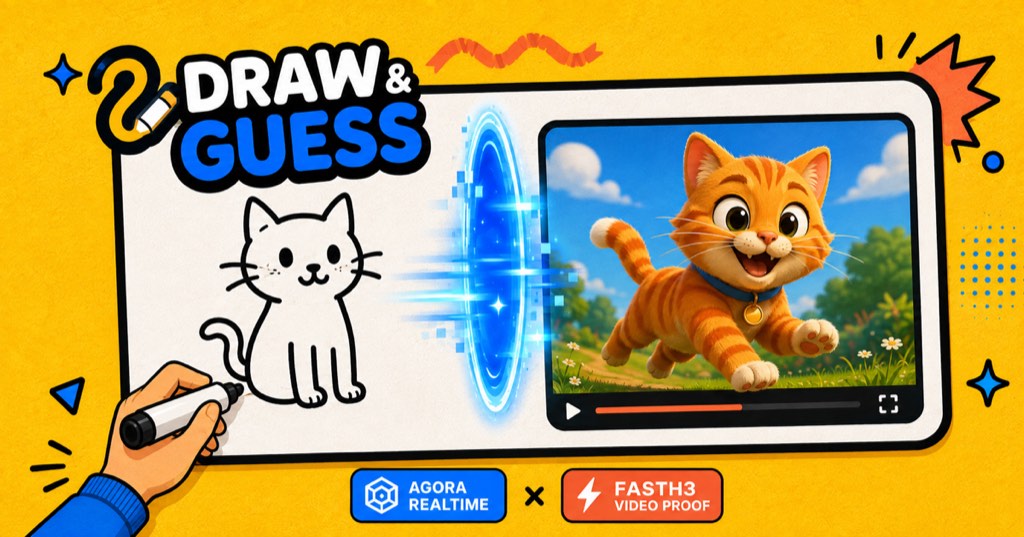
English interface. Two human players are needed to start. The optional AI challenger requires a host-provided Reactor API key.
Implementation guide
In this guide

Draw & Guess
Draw it. Guess it. Beat FastH3.
A realtime multiplayer drawing game where the AI challenger only wins after it guesses the sketch and generates matching video proof.




English · 简体中文
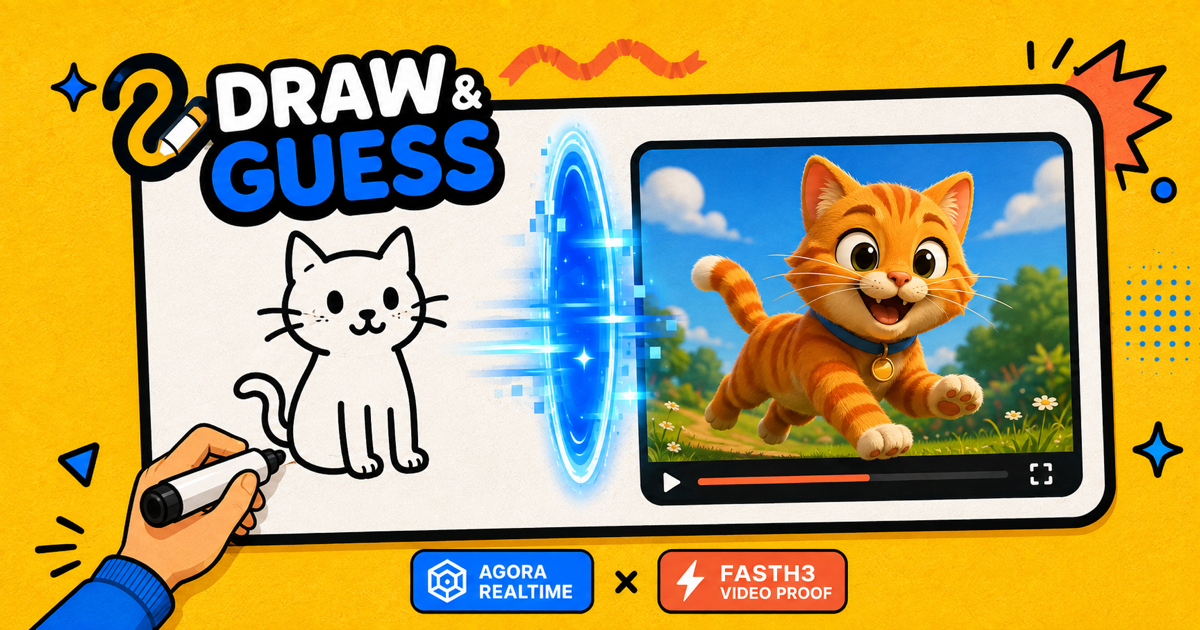
Draw & Guess is a browser party game for friends and one optional AI player. Players share a synchronized canvas, talk over realtime voice, rotate artists, race to identify the secret word, and watch FastH3 attempt the same challenge.
FastH3 has a stricter win condition than a human: a correct text guess is only the first step. It must also generate a short video that depicts the answer, and an independent vision pass must verify that proof before the AI receives the win.
Demo
Watch a complete Draw & Guess game, from creating a room and drawing with friends to FastH3 guessing the sketch and generating video proof:
https://github.com/user-attachments/assets/32cb9c77-3593-4bc1-8108-54c7562efb2f
Architecture
Loading diagram…
Diagram source
flowchart LR
  subgraph Browsers[Player browsers]
    Host[Host / artist]
    Guests[Other players]
    FastH3[FastH3 Web SDK]
  end

  Worker[Cloudflare Worker<br/>TanStack Start]
  D1[(Cloudflare D1)]
  RTC[Agora RTC<br/>voice + proof video]
  RTM[Agora RTM<br/>room refresh signals]
  Board[Agora Interactive Whiteboard]
  Vision[OpenAI-compatible<br/>vision model]
  Reactor[Reactor token API]

  Host <-->|REST room actions| Worker
  Guests <-->|REST room actions| Worker
  Worker <--> D1
  Worker -->|short-lived tokens| Host
  Worker -->|short-lived tokens| Guests
  Host <--> RTC
  Guests <--> RTC
  Host <--> RTM
  Guests <--> RTM
  Host <--> Board
  Guests <--> Board
  Host -->|drawing snapshot| Worker -->|guess / verify| Vision
  Host -->|host-provided API key| Reactor -->|restricted JWT| FastH3
  FastH3 -->|generated video track| RTC
Runtime responsibilities:
- Cloudflare Worker: owns room state, validates actions, signs Agora tokens, provisions Whiteboard rooms, calls the vision provider, and rate-limits public endpoints.
- Cloudflare D1: stores rooms, seats, rounds, guesses, scores, AI attempts, and short-lived rate-limit records.
- Agora RTC: carries optional microphone audio and relays the FastH3 proof video to every player.
- Agora RTM: sends low-latency refresh and presence signals while D1 remains the authoritative game state.
- Agora Interactive Whiteboard: synchronizes drawing strokes, tools, undo, clearing, and per-player write permissions.
- OpenAI-compatible vision: guesses from drawing snapshots and verifies three frames sampled from the generated proof video.
- FastH3: runs in the host browser with a host-provided Reactor API key. The key goes directly to Reactor and never passes through this app's Worker.
See docs/architecture.md for the lifecycle, trust boundaries, and fallback behavior.
Features
- Shareable six-character rooms with recoverable, tab-scoped seats.
- Host controls for rounds, draw time, player readiness, and the AI seat.
- Rotating artists, three-word choice, countdowns, progressive hints, scoring, replay, and host transfer when someone leaves.
- Synchronized Agora Whiteboard with pencil, shapes, eraser, brush sizes, color palette, undo, clear, and keyboard shortcuts.
- Optional Agora RTC voice with explicit join/leave controls and token renewal.
- FastH3 drawing guesses, proof-video generation, frame verification, and live proof-video relay to the room.
- Empty-canvas protection so the AI does not guess before anyone draws.
- OpenAI Responses API plus OpenAI-compatible chat-completions providers.
- Optional PostHog product analytics.
- Cloudflare Workers, D1, rate limiting, secure response headers, canonical URLs, sitemap, robots directives, Open Graph metadata, and structured data.
Quick Start
Requirements
- Node.js 22 or newer
- pnpm 11
- A Cloudflare account with Workers and D1
- An Agora project with App Certificate enabled
- Agora Interactive Whiteboard credentials
- An OpenAI API key, or a compatible vision API
- A Reactor API key only when you want to test the FastH3 challenger
1. Install
git clone https://github.com/zicojiao/agora-drawguess.git draw-and-guess
cd draw-and-guess
pnpm install
cp .env.example .env.local
cp .dev.vars.example .dev.vars
cp wrangler.example.jsonc wrangler.jsonc
Real credentials belong in .dev.vars or Worker secrets. The repository ignores
all local env files and wrangler.jsonc.
2. Configure the browser build
Fill .env.local:
VITE_PUBLIC_SITE_URL=http://localhost:3000
VITE_DEPLOYMENT_ALIAS_HOST=

# Optional analytics. PostHog project tokens are public browser identifiers.
VITE_POSTHOG_PROJECT_TOKEN=
VITE_POSTHOG_HOST=https://us.i.posthog.com
VITE_PUBLIC_SITE_URL drives canonical metadata and production redirects. Set
it to your own HTTPS origin when deploying a fork.
3. Configure server credentials
Fill .dev.vars:
AGORA_APP_ID=
AGORA_APP_CERTIFICATE=

AGORA_WHITEBOARD_APP_IDENTIFIER=
AGORA_WHITEBOARD_ACCESS_KEY=
AGORA_WHITEBOARD_SECRET_KEY=
AGORA_WHITEBOARD_REGION=us-sv

OPENAI_API_KEY=
AI_API_BASE_URL=https://api.openai.com/v1
OPENAI_VISION_MODEL=gpt-5.4-mini
For development, AGORA_WHITEBOARD_SDK_TOKEN can be used instead of Whiteboard
AK/SK. Production should use AK/SK so the Worker can create short-lived,
room-scoped reader and writer tokens.
Never prefix server secrets with VITE_; Vite exposes every VITE_ variable to
the browser bundle.
4. Create the local database
The example Wrangler config uses a dummy D1 ID that is sufficient for local development:
pnpm db:migrate:localThe single migration creates only the tables used by Draw & Guess.
5. Run
pnpm devOpen http://localhost:3000. Create a room in one browser tab and open its invitation URL in another tab or device.
Agora Setup
RTC and RTM
- Create an Agora project and enable App Certificate authentication.
- Put the App ID and App Certificate in
.dev.vars. - Keep the certificate server-only. The Worker signs one-hour tokens; browsers receive only their room channel, UID, and short-lived token.
The client registers RTC and RTM event handlers before joining, renews both tokens together, and stops/closes local media tracks before leaving.
Interactive Whiteboard
- Enable Interactive Whiteboard for the Agora project.
- Copy the Whiteboard App Identifier, Access Key, and Secret Key.
- Set the matching variables in
.dev.vars. - Use the region configured for that Whiteboard project, such as
us-sv.
The Worker creates one Whiteboard room per game room and issues a writer token only to the active artist. Everyone else receives a reader token.
FastH3 and AI Proof
FastH3 is optional. The room host clicks Invite FastH3, enters a Reactor API
key, and the browser exchanges it directly with Reactor for a 15-minute JWT
restricted to one reactor/fast-h3 session.
During a drawing round:
- The room host's browser samples the shared Whiteboard only after visible strokes exist.
- The Worker asks the configured vision model for a concrete guess.
- A correct guess starts a five-second FastH3 proof clip in the host browser.
- The browser publishes the generated video track through Agora RTC so all players can see it.
- Three sampled frames return to the Worker for independent visual verification.
- FastH3 wins only when that verification passes.
While verification runs, the completed proof clip loops locally for each viewer.
The Reactor API key is stored in the host's browser storage for convenience. Use a limited key, clear site storage on shared devices, and never commit the key.
Deploy to Cloudflare Workers
Create a D1 database:
pnpm exec wrangler d1 create draw-and-guess-dbCopy the returned database ID into your local wrangler.jsonc, then apply the
schema:
pnpm db:migrate:remoteSet server secrets:
pnpm exec wrangler secret put AGORA_APP_CERTIFICATE
pnpm exec wrangler secret put AGORA_WHITEBOARD_ACCESS_KEY
pnpm exec wrangler secret put AGORA_WHITEBOARD_SECRET_KEY
pnpm exec wrangler secret put OPENAI_API_KEY
Put public project identifiers and provider defaults in the vars block of your
local wrangler.jsonc. Add custom-domain routes there only if you own them.
For production metadata, set these build-time variables in .env.production or
your CI environment:
VITE_PUBLIC_SITE_URL=https://your-domain.example
VITE_DEPLOYMENT_ALIAS_HOST=your-worker.your-subdomain.workers.dev
Deploy:
pnpm deployCommands
| Command | Purpose |
|---|---|
pnpm dev | Start the local Worker and Vite dev server |
pnpm test | Run the Vitest suite once |
pnpm test:watch | Run tests in watch mode |
pnpm typecheck | Type-check without emitting files |
pnpm build | Build browser and Worker bundles |
pnpm generate-routes | Regenerate the TanStack route tree |
pnpm db:migrate:local | Apply D1 migrations locally |
pnpm db:migrate:remote | Apply D1 migrations to the configured remote DB |
pnpm deploy | Build and deploy with Wrangler |
License
<div align="center">
<img src="./public/draw-and-guess-logo-1024.png" alt="Draw & Guess" width="128" />
# Draw & Guess
**Draw it. Guess it. Beat FastH3.**
A realtime multiplayer drawing game where the AI challenger only wins after it
guesses the sketch and generates matching video proof.




**English** · [简体中文](https://github.com/zicojiao/agora-drawguess/blob/main/README.zh-CN.md)
[Play the live demo](https://drawguess.app)
</div>
---
Draw & Guess is a browser party game for friends and one optional AI player.
Players share a synchronized canvas, talk over realtime voice, rotate artists,
race to identify the secret word, and watch FastH3 attempt the same challenge.
FastH3 has a stricter win condition than a human: a correct text guess is only
the first step. It must also generate a short video that depicts the answer, and
an independent vision pass must verify that proof before the AI receives the win.

## Demo
Watch a complete Draw & Guess game, from creating a room and drawing with
friends to FastH3 guessing the sketch and generating video proof:
https://github.com/user-attachments/assets/32cb9c77-3593-4bc1-8108-54c7562efb2f
## Architecture
```mermaid
flowchart LR
subgraph Browsers[Player browsers]
Host[Host / artist]
Guests[Other players]
FastH3[FastH3 Web SDK]
end
Worker[Cloudflare Worker<br/>TanStack Start]
D1[(Cloudflare D1)]
RTC[Agora RTC<br/>voice + proof video]
RTM[Agora RTM<br/>room refresh signals]
Board[Agora Interactive Whiteboard]
Vision[OpenAI-compatible<br/>vision model]
Reactor[Reactor token API]
Host <-->|REST room actions| Worker
Guests <-->|REST room actions| Worker
Worker <--> D1
Worker -->|short-lived tokens| Host
Worker -->|short-lived tokens| Guests
Host <--> RTC
Guests <--> RTC
Host <--> RTM
Guests <--> RTM
Host <--> Board
Guests <--> Board
Host -->|drawing snapshot| Worker -->|guess / verify| Vision
Host -->|host-provided API key| Reactor -->|restricted JWT| FastH3
FastH3 -->|generated video track| RTC
```
Runtime responsibilities:
- **Cloudflare Worker:** owns room state, validates actions, signs Agora tokens,
provisions Whiteboard rooms, calls the vision provider, and rate-limits public
endpoints.
- **Cloudflare D1:** stores rooms, seats, rounds, guesses, scores, AI attempts,
and short-lived rate-limit records.
- **Agora RTC:** carries optional microphone audio and relays the FastH3 proof
video to every player.
- **Agora RTM:** sends low-latency refresh and presence signals while D1 remains
the authoritative game state.
- **Agora Interactive Whiteboard:** synchronizes drawing strokes, tools, undo,
clearing, and per-player write permissions.
- **OpenAI-compatible vision:** guesses from drawing snapshots and verifies three
frames sampled from the generated proof video.
- **FastH3:** runs in the host browser with a host-provided Reactor API key. The
key goes directly to Reactor and never passes through this app's Worker.
See [docs/architecture.md](https://github.com/zicojiao/agora-drawguess/blob/main/docs/architecture.md) for the lifecycle, trust
boundaries, and fallback behavior.
## Features
- Shareable six-character rooms with recoverable, tab-scoped seats.
- Host controls for rounds, draw time, player readiness, and the AI seat.
- Rotating artists, three-word choice, countdowns, progressive hints, scoring,
replay, and host transfer when someone leaves.
- Synchronized Agora Whiteboard with pencil, shapes, eraser, brush sizes, color
palette, undo, clear, and keyboard shortcuts.
- Optional Agora RTC voice with explicit join/leave controls and token renewal.
- FastH3 drawing guesses, proof-video generation, frame verification, and live
proof-video relay to the room.
- Empty-canvas protection so the AI does not guess before anyone draws.
- OpenAI Responses API plus OpenAI-compatible chat-completions providers.
- Optional PostHog product analytics.
- Cloudflare Workers, D1, rate limiting, secure response headers, canonical URLs,
sitemap, robots directives, Open Graph metadata, and structured data.
## Quick Start
### Requirements
- Node.js 22 or newer
- pnpm 11
- A Cloudflare account with Workers and D1
- An Agora project with App Certificate enabled
- Agora Interactive Whiteboard credentials
- An OpenAI API key, or a compatible vision API
- A Reactor API key only when you want to test the FastH3 challenger
### 1. Install
```bash
git clone https://github.com/zicojiao/agora-drawguess.git draw-and-guess
cd draw-and-guess
pnpm install
cp .env.example .env.local
cp .dev.vars.example .dev.vars
cp wrangler.example.jsonc wrangler.jsonc
```
Real credentials belong in `.dev.vars` or Worker secrets. The repository ignores
all local env files and `wrangler.jsonc`.
### 2. Configure the browser build
Fill `.env.local`:
```bash
VITE_PUBLIC_SITE_URL=http://localhost:3000
VITE_DEPLOYMENT_ALIAS_HOST=
# Optional analytics. PostHog project tokens are public browser identifiers.
VITE_POSTHOG_PROJECT_TOKEN=
VITE_POSTHOG_HOST=https://us.i.posthog.com
```
`VITE_PUBLIC_SITE_URL` drives canonical metadata and production redirects. Set
it to your own HTTPS origin when deploying a fork.
### 3. Configure server credentials
Fill `.dev.vars`:
```bash
AGORA_APP_ID=
AGORA_APP_CERTIFICATE=
AGORA_WHITEBOARD_APP_IDENTIFIER=
AGORA_WHITEBOARD_ACCESS_KEY=
AGORA_WHITEBOARD_SECRET_KEY=
AGORA_WHITEBOARD_REGION=us-sv
OPENAI_API_KEY=
AI_API_BASE_URL=https://api.openai.com/v1
OPENAI_VISION_MODEL=gpt-5.4-mini
```
For development, `AGORA_WHITEBOARD_SDK_TOKEN` can be used instead of Whiteboard
AK/SK. Production should use AK/SK so the Worker can create short-lived,
room-scoped reader and writer tokens.
Never prefix server secrets with `VITE_`; Vite exposes every `VITE_` variable to
the browser bundle.
### 4. Create the local database
The example Wrangler config uses a dummy D1 ID that is sufficient for local
development:
```bash
pnpm db:migrate:local
```
The single migration creates only the tables used by Draw & Guess.
### 5. Run
```bash
pnpm dev
```
Open [http://localhost:3000](http://localhost:3000). Create a room in one browser
tab and open its invitation URL in another tab or device.
## Agora Setup
### RTC and RTM
1. Create an Agora project and enable App Certificate authentication.
2. Put the App ID and App Certificate in `.dev.vars`.
3. Keep the certificate server-only. The Worker signs one-hour tokens; browsers
receive only their room channel, UID, and short-lived token.
The client registers RTC and RTM event handlers before joining, renews both
tokens together, and stops/closes local media tracks before leaving.
### Interactive Whiteboard
1. Enable Interactive Whiteboard for the Agora project.
2. Copy the Whiteboard App Identifier, Access Key, and Secret Key.
3. Set the matching variables in `.dev.vars`.
4. Use the region configured for that Whiteboard project, such as `us-sv`.
The Worker creates one Whiteboard room per game room and issues a writer token
only to the active artist. Everyone else receives a reader token.
## FastH3 and AI Proof
FastH3 is optional. The room host clicks **Invite FastH3**, enters a Reactor API
key, and the browser exchanges it directly with Reactor for a 15-minute JWT
restricted to one `reactor/fast-h3` session.
During a drawing round:
1. The room host's browser samples the shared Whiteboard only after visible
strokes exist.
2. The Worker asks the configured vision model for a concrete guess.
3. A correct guess starts a five-second FastH3 proof clip in the host browser.
4. The browser publishes the generated video track through Agora RTC so all
players can see it.
5. Three sampled frames return to the Worker for independent visual verification.
6. FastH3 wins only when that verification passes.
While verification runs, the completed proof clip loops locally for each viewer.
The Reactor API key is stored in the host's browser storage for convenience.
Use a limited key, clear site storage on shared devices, and never commit the key.
## Deploy to Cloudflare Workers
Create a D1 database:
```bash
pnpm exec wrangler d1 create draw-and-guess-db
```
Copy the returned database ID into your local `wrangler.jsonc`, then apply the
schema:
```bash
pnpm db:migrate:remote
```
Set server secrets:
```bash
pnpm exec wrangler secret put AGORA_APP_CERTIFICATE
pnpm exec wrangler secret put AGORA_WHITEBOARD_ACCESS_KEY
pnpm exec wrangler secret put AGORA_WHITEBOARD_SECRET_KEY
pnpm exec wrangler secret put OPENAI_API_KEY
```
Put public project identifiers and provider defaults in the `vars` block of your
local `wrangler.jsonc`. Add custom-domain routes there only if you own them.
For production metadata, set these build-time variables in `.env.production` or
your CI environment:
```bash
VITE_PUBLIC_SITE_URL=https://your-domain.example
VITE_DEPLOYMENT_ALIAS_HOST=your-worker.your-subdomain.workers.dev
```
Deploy:
```bash
pnpm deploy
```
## Commands
| Command | Purpose |
| --- | --- |
| `pnpm dev` | Start the local Worker and Vite dev server |
| `pnpm test` | Run the Vitest suite once |
| `pnpm test:watch` | Run tests in watch mode |
| `pnpm typecheck` | Type-check without emitting files |
| `pnpm build` | Build browser and Worker bundles |
| `pnpm generate-routes` | Regenerate the TanStack route tree |
| `pnpm db:migrate:local` | Apply D1 migrations locally |
| `pnpm db:migrate:remote` | Apply D1 migrations to the configured remote DB |
| `pnpm deploy` | Build and deploy with Wrangler |
## License
[MIT](https://github.com/zicojiao/agora-drawguess/blob/main/LICENSE)