
Guía de implementación
En esta guía
Idioma del documento: Idioma sin especificar
Agora Speaking Coach Demo
1. Overview
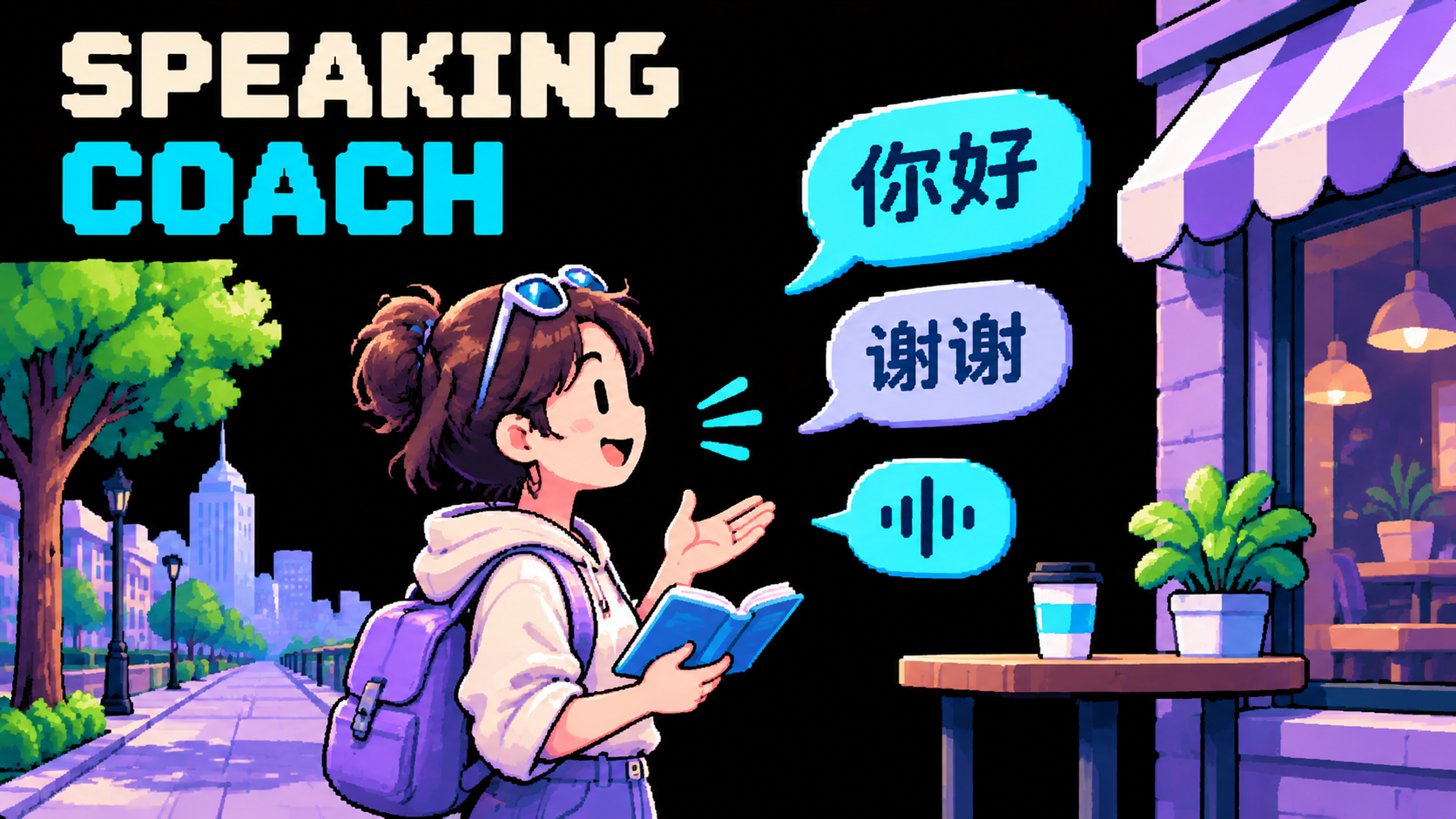
Help overseas English-speaking learners practice Mandarin at beginner, intermediate or advanced level. Use short role-play, English explanations and gentle expression corrections. This is conversational teaching, without pronunciation assessment or persistent learning records.
2. Try the Demo
Follow local setup. Read Chinese, pinyin and English phrase cards directly on the main page. Choose Practice Mandarin, then say “I am a beginner. Help me introduce myself in Mandarin.”
Try introductions, ordering food or workplace conversation. Ask “Please explain in English,” “Can we switch topics?” or “Please summarize what I can improve.” Ask for the summary before ending. UI topic tabs are reading aids; tell the coach your topic aloud. The header's Phrasebook keeps written reading support available during a call.
3. Architecture & Tech Stack
Next.js 16, React 19 and TypeScript provide one independent application. The browser uses Agora RTC for audio and RTM for transcripts and runtime events. Server routes sign combined RTC/RTM tokens and start/stop the managed Agent.
lib/lessons.ts supplies teaching material to both phrase cards and the system prompt. lib/agent-config.ts defines the coaching workflow. Tools are empty; no course service or database is connected.
4. Prerequisites & Configuration
Node.js 22+, pnpm 9.15.9, Agora RTC/Signaling/Conversational AI and browser microphone permission. Configure the public NEXT_PUBLIC_AGORA_APP_ID and server-only NEXT_AGORA_APP_CERTIFICATE in .env.local, using env.local.example. Replace synthetic verification values before calls. No vendor key is required by the default managed pipeline.
5. Quick Start
From this local scenario checkout:
corepack pnpm install --frozen-lockfileCreate .env.local only if absent and fill the two real project values.
corepack pnpm run doctor
corepack pnpm run dev
Open http://localhost:3000. The official quickstart is upstream attribution, not a published source URL for this local scenario.
6. How It Works
The coach asks for level and goal, uses bundled examples and asks one question at a time. Feedback gives at most one useful correction per learner response. Repetition, English explanations and topic changes remain within the conversation. A requested recap uses actual learner turns, not sample correction fixtures.
Deepgram Nova-3 multilingual recognition is configured for Mandarin/English switching; MiniMax uses a Mandarin voice. A 1,200 ms pause accommodates learner hesitation. See speech provider references and limits. Pinyin is a written reading aid, not spoken output. No acoustic tone or pronunciation evaluation is performed.
Each session ends automatically after 10 minutes; choose Start again to continue.
7. Customize for Your Business
Adapt lib/lessons.ts for approved Mandarin teaching material and lib/agent-config.ts for the flow. Keep interface copy English while preserving Chinese educational examples. Change models in lib/runtime-profile.ts and validate a real bilingual call after provider changes.
Retain StrictMode guards, hook-owned media cleanup, combined token privileges, local-user UID normalization and interrupted transcript turns. Read AGENTS.md before edits.
8. Deployment & Validation
Follow native and Docker setup. Run pnpm run verify; run pnpm run verify:docker separately. Supply the public App ID at build and runtime and keep the certificate server-only.
Check actual two-way Mandarin/English speech, grounded corrections, interruptions, error handling and clean stop using verification guidance. Builds, mocked route tests and prompt assertions do not establish teaching quality or live speech. No publication or deployment is implied by local implementation.
Usage FAQ
Choose FAQ in the header to read scenario-specific usage answers in a right-side drawer. It is available before starting a conversation and does not start a session.
Phase-one conversation update — 2026-11-08
Practice short Mandarin phrases with English instructions, explanations and feedback throughout; Mandarin immersion requires an explicit request. This first version is conversation-only. No business data lookup, external tools, database, record writes, saved results, or cross-session business history are available. Keep details in the current conversation. Do not claim a real registration, reminder, survey submission, callback, payment or saved result. Do not request secrets or unnecessary personal identifiers.
See current capabilities, the conversation contract and verification guidance. Tools remain disabled, and no persistent business operations are provided.
# Agora Speaking Coach Demo

## 1. Overview

Help overseas English-speaking learners practice Mandarin at beginner, intermediate or advanced level. Use short role-play, English explanations and gentle expression corrections. This is conversational teaching, without pronunciation assessment or persistent learning records.

## 2. Try the Demo

Follow [local setup](https://github.com/AgoraIO-Community/agora-speaking-coach-demo/blob/main/README.md#run-it). Read Chinese, pinyin and English phrase cards directly on the main page. Choose **Practice Mandarin**, then say “I am a beginner. Help me introduce myself in Mandarin.”

Try introductions, ordering food or workplace conversation. Ask “Please explain in English,” “Can we switch topics?” or “Please summarize what I can improve.” Ask for the summary before ending. UI topic tabs are reading aids; tell the coach your topic aloud. The header's Phrasebook keeps written reading support available during a call.

## 3. Architecture & Tech Stack

Next.js 16, React 19 and TypeScript provide one independent application. The browser uses Agora RTC for audio and RTM for transcripts and runtime events. Server routes sign combined RTC/RTM tokens and start/stop the managed Agent.

`lib/lessons.ts` supplies teaching material to both phrase cards and the system prompt. `lib/agent-config.ts` defines the coaching workflow. Tools are empty; no course service or database is connected.

## 4. Prerequisites & Configuration

Node.js 22+, pnpm 9.15.9, Agora RTC/Signaling/Conversational AI and browser microphone permission. Configure the public `NEXT_PUBLIC_AGORA_APP_ID` and server-only `NEXT_AGORA_APP_CERTIFICATE` in `.env.local`, using `env.local.example`. Replace synthetic verification values before calls. No vendor key is required by the default managed pipeline.

## 5. Quick Start

From this local scenario checkout:

```bash
corepack pnpm install --frozen-lockfile
```

Create `.env.local` only if absent and fill the two real project values.

```bash
corepack pnpm run doctor
corepack pnpm run dev
```

Open [http://localhost:3000](http://localhost:3000). The [official quickstart](https://github.com/AgoraIO-Conversational-AI/agent-quickstart-nextjs) is upstream attribution, not a published source URL for this local scenario.

## 6. How It Works

The coach asks for level and goal, uses bundled examples and asks one question at a time. Feedback gives at most one useful correction per learner response. Repetition, English explanations and topic changes remain within the conversation. A requested recap uses actual learner turns, not sample correction fixtures.

Deepgram Nova-3 multilingual recognition is configured for Mandarin/English switching; MiniMax uses a Mandarin voice. A 1,200 ms pause accommodates learner hesitation. See [speech provider references and limits](https://github.com/AgoraIO-Community/agora-speaking-coach-demo/blob/main/ARCHITECTURE.md#speech-provider-references). Pinyin is a written reading aid, not spoken output. No acoustic tone or pronunciation evaluation is performed.

Each session ends automatically after 10 minutes; choose Start again to continue.

## 7. Customize for Your Business

Adapt `lib/lessons.ts` for approved Mandarin teaching material and `lib/agent-config.ts` for the flow. Keep interface copy English while preserving Chinese educational examples. Change models in `lib/runtime-profile.ts` and validate a real bilingual call after provider changes.

Retain StrictMode guards, hook-owned media cleanup, combined token privileges, local-user UID normalization and interrupted transcript turns. Read [AGENTS.md](https://github.com/AgoraIO-Community/agora-speaking-coach-demo/blob/main/AGENTS.md) before edits.

## 8. Deployment & Validation

Follow [native and Docker setup](https://github.com/AgoraIO-Community/agora-speaking-coach-demo/blob/main/README.md#deployment). Run `pnpm run verify`; run `pnpm run verify:docker` separately. Supply the public App ID at build and runtime and keep the certificate server-only.

Check actual two-way Mandarin/English speech, grounded corrections, interruptions, error handling and clean stop using [verification guidance](https://github.com/AgoraIO-Community/agora-speaking-coach-demo/blob/main/AGENTS.md#verification-and-maintenance). Builds, mocked route tests and prompt assertions do not establish teaching quality or live speech. No publication or deployment is implied by local implementation.

## Usage FAQ

Choose FAQ in the header to read scenario-specific usage answers in a right-side drawer. It is available before starting a conversation and does not start a session.


## Phase-one conversation update — 2026-11-08

Practice short Mandarin phrases with English instructions, explanations and feedback throughout; Mandarin immersion requires an explicit request. This first version is conversation-only. No business data lookup, external tools, database, record writes, saved results, or cross-session business history are available. Keep details in the current conversation. Do not claim a real registration, reminder, survey submission, callback, payment or saved result. Do not request secrets or unnecessary personal identifiers.

See [current capabilities](https://github.com/AgoraIO-Community/agora-speaking-coach-demo/blob/main/README.md#what-you-can-do), the [conversation contract](https://github.com/AgoraIO-Community/agora-speaking-coach-demo/blob/main/ARCHITECTURE.md#conversation-behavior) and [verification guidance](https://github.com/AgoraIO-Community/agora-speaking-coach-demo/blob/main/AGENTS.md#verification-and-maintenance). Tools remain disabled, and no persistent business operations are provided.